Within Ranking
Can You Really Train Your Feed?
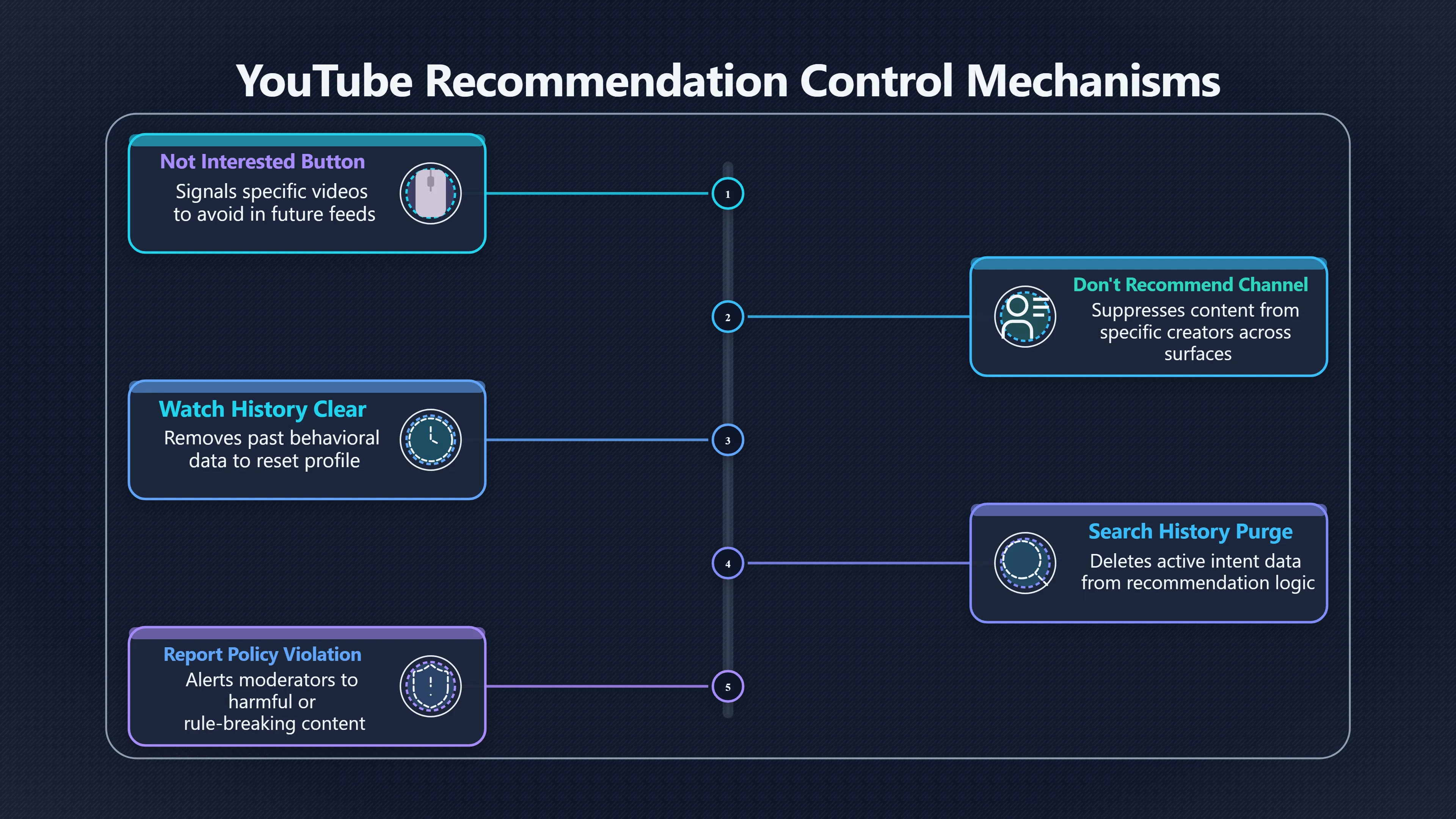
Buttons such as Not interested, hide, report and history controls can help, but their power varies by platform and feed surface.
On this page
- The difference between passive scrolling and explicit feedback
- What You Tube and Tik Tok research suggests about controls
- When to hide, report, clear history or leave the surface
Page outline Jump by section
Introduction
Platform controls can help shape what appears in your feed, but they are not magic switches. Buttons such as Not interested, Hide, Report, Don’t recommend channel, and history-management tools send signals to recommendation systems. They can reduce certain recommendations, remove specific creators, or reset parts of a profile built from your past behaviour. What they usually cannot do is completely override a platform’s ranking system, erase every inference made about your interests, or guarantee that a topic never appears again.
 For critical thinking, this distinction matters. When an algorithmic feed shows you something repeatedly, the solution is not always as simple as pressing one button. Different controls affect different feed surfaces, and some signals carry more weight than others. Understanding what these tools actually do helps users avoid both false confidence and unnecessary frustration.[Google Help]support.google.comGoogle HelpHow YouTube recommendations work'Not interested' feedback selections: Videos that you mark as 'Not interested' help to inform…
The Difference Between Passive Scrolling and Explicit Feedback
Recommendation systems learn from two broad categories of signals.
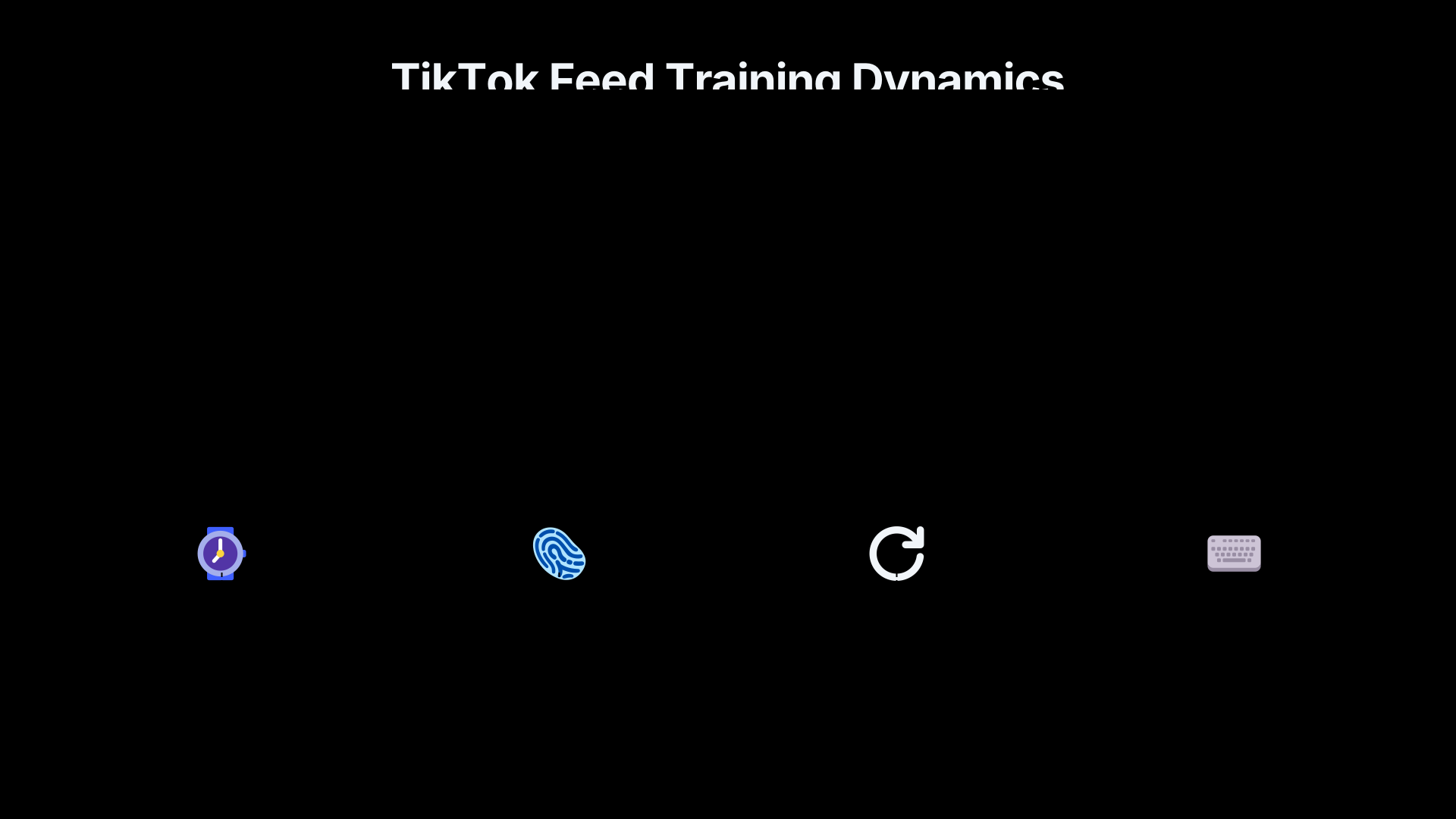
Passive signals come from behaviour. How long you watch a video, whether you pause, rewatch, click, share, search for related topics, or return to similar content can all influence future recommendations. TikTok’s recommendation system is particularly known for learning from viewing behaviour, sometimes after surprisingly little interaction.[TikTok Support+2arXiv]support.tiktok.comTikTok SupportFor YouRefresh your feed: You can refresh your For You feed to help us reshape your For You feed recommendations. • Filter…
Explicit signals are actions taken deliberately to influence recommendations. These include:
- Selecting Not interested
- Hiding a post
- Choosing Don’t recommend channel
- Muting an account
- Blocking keywords
- Reporting content
- Clearing watch or search history
- Refreshing recommendation profiles where available
Research on recommendation systems suggests users often rely on explicit feedback when they want to customise feeds rather than simply consume content. Explicit actions communicate intent more clearly than passive behaviour.[arXiv]arxiv.orgBeyond Explicit and Implicit: How Users Provide Feedback…14 Feb 2025 — Explicit feedback was primarily used for feed customizatio…
The catch is that platforms rarely ignore passive signals. If a person repeatedly watches videos on a topic but occasionally clicks Not interested, the system receives conflicting information. Watch time may continue to indicate interest even while feedback buttons indicate the opposite. This is one reason users sometimes feel that platforms are “not listening”.
Why One Control Works on One Surface but Not Another
A common misunderstanding is that a recommendation setting applies equally everywhere.
In practice, large platforms operate multiple recommendation surfaces. YouTube, for example, distinguishes between areas such as the homepage, “Up Next” recommendations, and Shorts. The signals used and the weight given to them can differ across these surfaces.[Google Help]support.google.comGoogle HelpHow YouTube recommendations work'Not interested' feedback selections: Videos that you mark as 'Not interested' help to inform…
Research examining YouTube recommendation controls found that actions such as Not interested were effective at reducing unwanted recommendations on the homepage. However, the same interventions had much less effect on recommendations shown beside videos on watch pages. In other words, a user could improve one surface while seeing little change on another.[arXiv]arxiv.orgarXiv How to Train Your You Tube Recommender to Avoid Unwanted VideosHow to Train Your YouTube Recommender to Avoid Unwanted VideosJuly 27, 2023…
This helps explain a common experience: someone trains a homepage successfully but still encounters similar content elsewhere on the platform. The recommendation system is not necessarily ignoring feedback; different parts of the system may be operating under different rules.
What YouTube Research Suggests About Controls
YouTube officially states that dislikes, Not interested, and Don’t recommend channel feedback help inform future recommendations. The company describes these actions as signals indicating content a viewer would prefer to avoid.[Google Help]support.google.comGoogle HelpHow YouTube recommendations work'Not interested' feedback selections: Videos that you mark as 'Not interested' help to inform…
Independent studies paint a more nuanced picture.
One controlled academic experiment found that repeatedly using Not interested substantially reduced unwanted topic recommendations on YouTube’s homepage, making it one of the most effective available controls in that setting.[arXiv]arxiv.orgarXiv How to Train Your You Tube Recommender to Avoid Unwanted VideosHow to Train Your YouTube Recommender to Avoid Unwanted VideosJuly 27, 2023…
At the same time, a Mozilla investigation found that negative feedback controls did not always prevent similar recommendations as effectively as users expected. The study reported that unwanted recommendations often continued to appear despite the use of dislike and recommendation-control buttons. YouTube responded that its controls are intended to affect specific videos or channels rather than eliminate entire topics, partly to avoid creating overly narrow information environments.[WIRED]wired.comYou Tube's 'Dislike' Button Doesn't Do What You ThinkMozilla tracked 22,722 users who used negative feedback options and found that negative interactions only marginally curb unwanted recomm…
The practical lesson is that Don’t recommend channel is usually best understood as a creator-level control, not a topic-level control. Blocking one channel discussing a subject does not necessarily stop recommendations from other channels discussing the same subject.
What TikTok Research Suggests About Controls
TikTok offers several explicit controls, including Not interested, keyword filters, content-preference settings, and the ability to refresh the entire For You feed. The platform says these tools influence future recommendations and can help reshape the feed over time.[TikTok Support+2TikTok Support]support.tiktok.comTikTok SupportFor YouRefresh your feed: You can refresh your For You feed to help us reshape your For You feed recommendations. • Filter…
Research suggests these controls can work, but often require persistence.
A recent study examining user agency on TikTok found that the Not Interested option was among the strongest explicit signals available. However, researchers also found that unwanted topics could return once users stopped actively expressing disinterest. The control existed, but maintaining the effect sometimes required ongoing feedback.[arXiv]arxiv.orgWhen 'For You' Isn't For You: Measuring User Agency in TikTok's Algorithmic FeedMay 11, 2026…
Other studies have documented how rapidly TikTok can amplify perceived interests based on viewing behaviour. Engagement patterns established within the first few hundred viewed videos can strongly influence future recommendations, making passive behaviour highly influential.[arXiv]arxiv.orgarXiv Dynamics of Algorithmic Content Amplification on Tik TokarXiv Dynamics of Algorithmic Content Amplification on Tik Tok
This creates an important asymmetry. A few seconds of attention may teach the system that a topic is interesting, while removing that association may require repeated corrective signals.
When to Hide, Report, Clear History or Leave the Surface
Different controls solve different problems.
Use “Hide” or “Not Interested” for relevance problems
If content is uninteresting, repetitive, or simply not something you want more of, these controls are usually the most appropriate response. They communicate preference rather than rule-breaking.
Examples include:
- Celebrity gossip you no longer follow
- Repetitive trends
- Excessive content from a particular creator
- Topics that have become overrepresented in your feed[reddit.com]reddit.comWhat is this feature on TikTok called refresh your feed?Presumably, it returns you to the top of your feed and loads relevant videos that…
Research generally suggests these controls are more useful for recommendation tuning than simply scrolling past content.[arXiv]arxiv.orgBeyond Explicit and Implicit: How Users Provide Feedback…14 Feb 2025 — Explicit feedback was primarily used for feed customizatio…
Use “Report” for policy problems
Reporting serves a different purpose.
A report tells the platform that content may violate rules regarding harassment, scams, misinformation policies, impersonation, dangerous behaviour, or other standards. It is primarily a moderation tool rather than a recommendation tool.
Reporting something because you dislike it can weaken the usefulness of reporting systems. Conversely, using Not interested on genuinely harmful content may not alert moderators to a potential policy violation.
Clear history when the profile itself is distorted
Sometimes recommendation problems arise from accumulated history rather than individual posts.
Useful situations include:
- A temporary obsession that now dominates recommendations
- Shared devices creating mixed signals
- Accidental viewing sessions
- Research into a topic that the platform interpreted as a long-term interest
Both YouTube and TikTok provide mechanisms that allow users to clear or reset portions of the behavioural data influencing recommendations.[Google Help+2TikTok Support]support.google.comGoogle HelpManage your recommendations & search resultsMark content as “Not interested” · Clear the "Top channels you watch" shelf on you…
Leave the surface when the surface is the problem
Some recommendation surfaces are more aggressively personalised than others.
For example:
- A following-only feed reflects deliberate subscriptions.
- Search reflects active intent.
- Algorithmic discovery feeds often maximise engagement.
If a recommendation stream repeatedly produces unwanted content, moving temporarily to subscriptions, following feeds, saved lists, or direct searches can reduce the influence of engagement-driven ranking systems.[Knight First Amendment Institute+2The Verge]knightcolumbia.orgunderstanding social media recommendation algorithmsThese algorithms are the engine that makes Facebook and YouTube what they are.Read more…
What Platform Controls Cannot Fix
Even the best controls have limits.
They generally cannot:
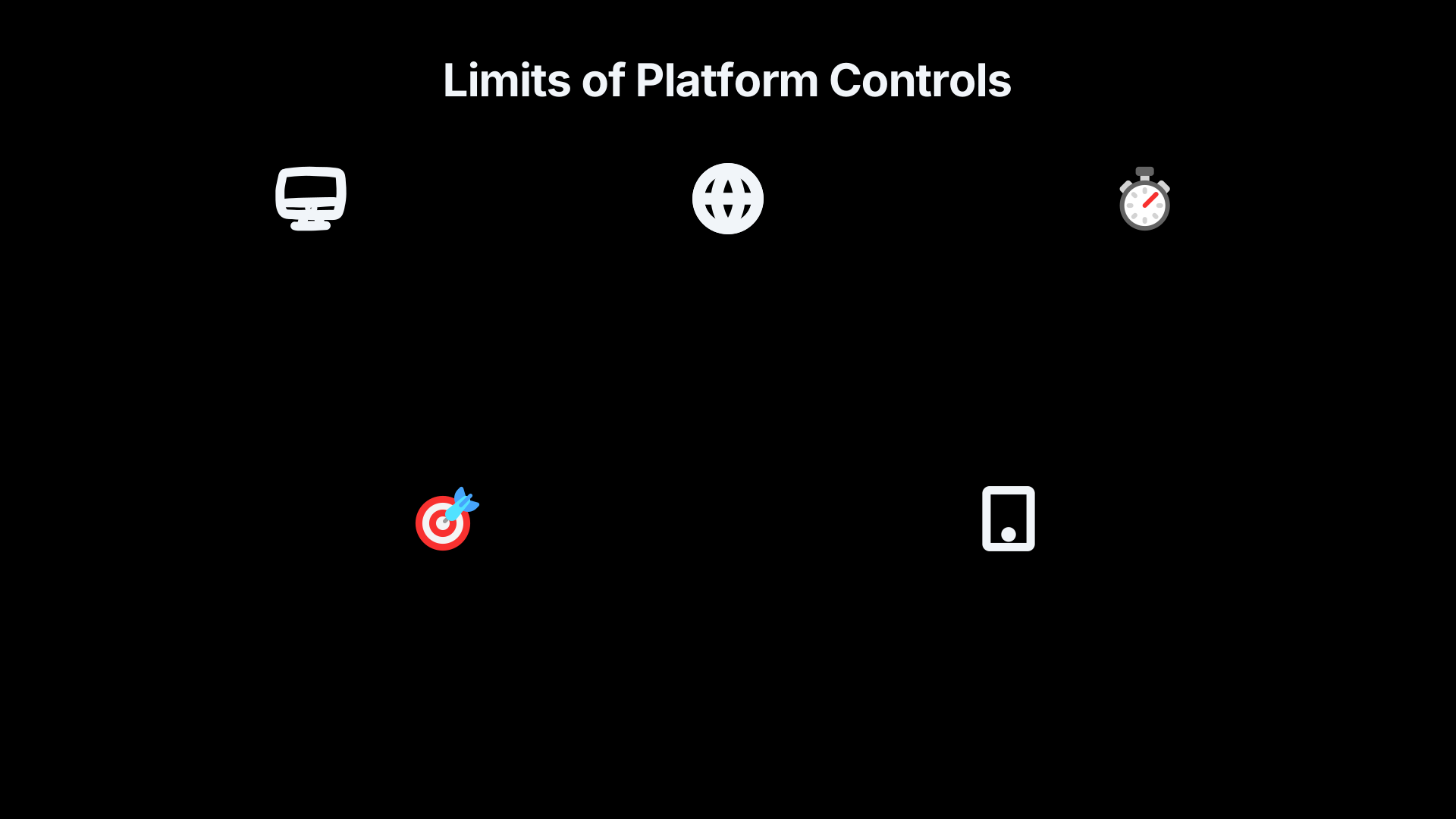
- Guarantee removal of an entire topic across a platform.
- Prevent every recommendation related to a broad subject.
- Override all behavioural signals created by watch time and engagement.
- Eliminate platform-wide trends that are being heavily promoted.
- Ensure complete transparency about why something appeared.
- Transform an engagement-optimised system into a neutral information source.
Research on recommendation systems repeatedly finds that users often desire more meaningful control than current interfaces provide. Some scholars describe a gap between the sense of control platforms present and the degree of control users actually possess.[ResearchGate]researchgate.netBeyond Explicit and Implicit: How Users Provide Feedback…2 May 2026 — Studies on user perceptions of control [14] reveal u…
That does not mean the controls are useless. It means they are corrective tools, not steering wheels. They can nudge recommendations, suppress creators, reset parts of a profile, and improve relevance. They cannot fully replace the ranking logic that determines what competes for attention in the first place.
For critical thinkers, the safest assumption is neither “the algorithm knows me perfectly” nor “the controls do nothing”. The reality lies between those extremes: recommendation systems respond to user feedback, but only within the broader goals and design choices of the platform itself.[Google Help+2arXiv]support.google.comGoogle HelpHow YouTube recommendations work'Not interested' feedback selections: Videos that you mark as 'Not interested' help to inform…
Amazon book picks
Further Reading
Books and field guides related to Can You Really Train Your Feed?. Use these as the next step if you want deeper reading beyond the article.
The Filter Bubble
Directly explains how feeds are shaped and the limits of user control.

Chaos Machine
Shows how platform incentives and recommendation systems influence what users see.

eBay marketplace picks
Marketplace Samples
Example marketplace items related to this page. Use the search link to explore similar finds on eBay.



Endnotes
1.
Source: support.google.com
Link:https://support.google.com/youtube/answer/16089387?hl=en-GB
Source snippet
Google HelpHow YouTube recommendations work'Not interested' feedback selections: Videos that you mark as 'Not interested' help to inform...
2.
Source: support.tiktok.com
Link:https://support.tiktok.com/en/account-and-privacy/account-privacy-settings/refresh-your-for-you-feed
Source snippet
TikTok SupportRefresh your For You feed1. In the TikTok app, tap Profile at the bottom. 2. Tap the Menu ☰ button at the top. 3. Tap Setti...
3.
Source: support.tiktok.com
Link:https://support.tiktok.com/en/getting-started/for-you
Source snippet
TikTok SupportFor YouRefresh your feed: You can refresh your For You feed to help us reshape your For You feed recommendations. • Filter...
4.
Source: arxiv.org
Title: arXiv Dynamics of Algorithmic Content Amplification on Tik Tok
Link:https://arxiv.org/abs/2503.20231
5.
Source: arxiv.org
Link:https://arxiv.org/html/2502.09869v1
Source snippet
Beyond Explicit and Implicit: How Users Provide Feedback...14 Feb 2025 — Explicit feedback was primarily used for feed customizatio...
6.
Source: researchgate.net
Link:https://www.researchgate.net/publication/391240021_Beyond_Explicit_and_Implicit_How_Users_Provide_Feedback_to_Shape_Personalized_Recommendation_Content
Source snippet
Beyond Explicit and Implicit: How Users Provide Feedback...2 May 2026 — Studies on user perceptions of control [14] reveal u...
Published: May 2026
7.
Source: support.google.com
Link:https://support.google.com/youtube/answer/6342839?hl=en
Source snippet
Google HelpManage your recommendations & search resultsMark content as “Not interested” · Clear the "Top channels you watch" shelf on you...
8.
Source: arxiv.org
Title: arXiv How to Train Your You Tube Recommender to Avoid Unwanted Videos
Link:https://arxiv.org/abs/2307.14551
Source snippet
How to Train Your YouTube Recommender to Avoid Unwanted VideosJuly 27, 2023...
Published: July 27, 2023
9.
Source: wired.com
Title: You Tube’s ‘Dislike’ Button Doesn’t Do What You Think
Link:https://www.wired.com/story/youtube-dislike-button-mozilla-research
Source snippet
Mozilla tracked 22,722 users who used negative feedback options and found that negative interactions only marginally curb unwanted recomm...
10.
Source: newsroom.tiktok.com
Title: introducing a way to refresh your for you feed on tiktok us
Link:https://newsroom.tiktok.com/en-us/introducing-a-way-to-refresh-your-for-you-feed-on-tiktok-us
Source snippet
TikTok NewsroomIntroducing a way to refresh your For You feed on TikTok16 Mar 2023 — Today we're rolling out a new feature that enables p...
11.
Source: arxiv.org
Link:https://arxiv.org/abs/2605.10690
Source snippet
When 'For You' Isn't For You: Measuring User Agency in TikTok's Algorithmic FeedMay 11, 2026...
Published: May 11, 2026
12.
Source: support.tiktok.com
Title: how tiktok recommends content
Link:https://support.tiktok.com/en/using-tiktok/exploring-videos/how-tiktok-recommends-content
Source snippet
TikTok recommends contentRefresh your feed: You can update the content we recommend on your For You feed and interact with popular conten...
13.
Source: youtube.com
Link:https://www.youtube.com/watch?v=sLPzIE8kxVU
Source snippet
How to Undo or Delete "Don't Recommend Channel...How to undo or delete “Don't Recommend Channel” feedback on YouTube in 2025? In this tu...
14.
Source: youtube.com
Link:https://www.youtube.com/watch?v=AFOIaccKt2c
Source snippet
How to Undo “Don't Recommend Channel” on YouTube (2025...Ever accidentally clicked 'don't recommend channel' on a creator you actually l...
15.
Source: youtube.com
Link:https://www.youtube.com/watch?v=YNjIBv4i8nM
Source snippet
How to STOP YouTube Recommending Unwanted VideosI'm going to show you four different ways for you to control what YouTube shows you on yo...
16.
Source: youtube.com
Link:https://www.youtube.com/watch?v=0-q4YqScEHU
Source snippet
How to Remove "You May Like" Suggestions on TikTok in 2026select Activity Center. Tap Search History. Tap Delete to clear out your search...
17.
Source: youtube.com
Title: z Jkbiyac6JA
Link:https://www.youtube.com/shorts/zJkbiyac6JA
Source snippet
How To Reset YouTube Algorithm Recommendations 2024...Here's how to delete the watch history on your phone so it'll reset the recommenda...
18.
Source: youtube.com
Link:https://www.youtube.com/watch?v=rvJLQLckqyc
Source snippet
How To Reset TikTok FYP (Easy Guide 2026)In this short tutorial I'll be showing you how to reset your Tik Tok FYP or for you page all right...
19.
Source: youtube.com
Link:https://www.youtube.com/watch?v=p3lX2rqo9q0&vl=en-GB
Source snippet
How-to STOP YouTube Recommending Unwanted Videos...Video tutorial explains how YouTube recommendations work and shows steps for controll...
20.
Source: youtube.com
Link:https://www.youtube.com/watch?v=Wn9twYUXw6w
Source snippet
How to improve your YouTube recommendations and search...In this video we'll show you what you can do to improve YouTube's recommendations...
21.
Source: youtube.com
Title: How To Mark A Tiktok As Not Interested
Link:https://www.youtube.com/watch?v=4dWVQ-bpSe8
Source snippet
Full Guide | How to...How To Mark A Tiktok As Not Interested - Full Guide | How to Stop Seeing That Tiktok Video...
22.
Source: youtube.com
Link:https://www.youtube.com/shorts/YhyiXpiQVF4
Source snippet
How to: Reset your FYP on TikTokSometimes a refresh is all you need! Follow these steps to reset your FYP! #tiktoktips #tiktokhelp #tikto...
23.
Source: youtube.com
Link:https://www.youtube.com/watch?v=QPvs86KLr1Y
Source snippet
How to Refresh Your For You Feed On TikTok [Guide]I'm going to show you guys how to refresh your for you feed on Tik Tok and it basically...
24.
Source: youtube.com
Link:https://www.youtube.com/watch?v=djFCRyBdMI0
Source snippet
How To Fix TikTok Not Eligible To The For You FeedSeeing “Not Eligible To The For You Feed” on TikTok? This video shows how to fix the is...
25.
Source: support.google.com
Link:https://support.google.com/youtube/thread/261956487/i-accidentally-clicked-don-t-recommend-channel-on-youtube-how-do-fix-my-mistake-thank-you?hl=en
Source snippet
>> Remove recommended content from Home - Computer - YouTube HelpRead more...
26.
Source: support.google.com
Title: excluding a channel from recommendations
Link:https://support.google.com/youtube/thread/306648390/excluding-a-channel-from-recommendations?hl=en
Source snippet
a channel from recommendations - YouTube...8 Nov 2024 — When you see a video from a channel that you no longer want recommended to you...
27.
Source: support.google.com
Link:https://support.google.com/youtube/answer/16089387?hl=en
Source snippet
recommendations work“Not interested” feedback selections: Videos you mark as “Not interested” helps to inform what to avoid recom...
28.
Source: youtube.com
Title: They Need To Fix This
Link:https://www.youtube.com/watch?v=4-2DaUMms7I
Source snippet
How to Reset YouTube Algorithm for Better Recommendations...
29.
Source: youtube.com
Title: How to Reset You Tube Algorithm for Better Recommendations
Link:https://www.youtube.com/watch?v=Sgyz2XcPN_E
Source snippet
How To Reset Instagram Feed...
30.
Source: youtube.com
Title: How To Reset Instagram Feed
Link:https://www.youtube.com/watch?v=N7K9IDlQeD4
Source snippet
Is the algorithm not understanding your channel? Make these 6 changes...
31.
Source: youtube.com
Title: Is the algorithm not understanding your channel? Make these 6 changes!
Link:https://www.youtube.com/watch?v=KgWoA_LOVx4
Source snippet
How the Algorithm Manipulates You | AI Unfiltered - Débora Machado EP8...
32.
Source: youtube.com
Title: How the Algorithm Manipulates You | AI Unfiltered
Link:https://www.youtube.com/watch?v=y2x4ugFV8_M
Source snippet
This curated selection features technical breakdowns and instructional walk-throughs that examine the boundaries of explicit user feedbac...
33.
Source: knightcolumbia.org
Title: understanding social media recommendation algorithms
Link:https://knightcolumbia.org/content/understanding-social-media-recommendation-algorithms
Source snippet
These algorithms are the engine that makes Facebook and YouTube what they are.Read more...
34.
Source: theverge.com
Link:https://www.theverge.com/tech/849742/how-to-tune-algorithms-recommendations-online-platforms
Source snippet
Although algorithms aim to keep users engaged by recommending content based on demographics and activity, they don’t always align with us...
Additional References
35.
Source: nypost.com
Link:https://nypost.com/2026/03/11/tech/the-best-way-to-fix-your-out-of-control-tiktok-fyp/
Source snippet
TikTok uses a powerful AI algorithm that tracks what captures your attention—including video watch time—rather than just likes or shares...
36.
Source: reddit.com
Link:https://www.reddit.com/r/AskReddit/comments/1fiy23j/what_is_this_feature_on_tiktok_called_refresh/
Source snippet
What is this feature on TikTok called refresh your feed?Presumably, it returns you to the top of your feed and loads relevant videos that...
37.
Source: web-ainf.aau.at
Link:https://web-ainf.aau.at/pub/jannach/files/BOOK_CHAPTER_PERSONALIZED_HCI_2019.pdf
Source snippet
and User Control in Recommender Systemsby D Jannach · Cited by 50 — In this chapter, we review explanations and feedback mechanisms as a...
38.
Source: techcrunch.com
Link:https://techcrunch.com/2023/03/16/tiktoks-new-feature-lets-you-refresh-your-for-you-feed-and-retrain-your-algorithm/
Source snippet
TikTok's new feature lets you refresh your For You feed and...16 Mar 2023 — You can access the new feature by navigating to your setting...
39.
Source: bernardjjansen.com
Link:https://www.bernardjjansen.com/uploads/2/4/1/8/24188166/2021165769.pdf
Source snippet
social media feeds is relevant for reducing negative effects associated with the use of social media...Read mo...
40.
Source: socialmediatoday.com
Title: Tik Tok Will Enable You to Refresh Your Algorithmic Recommendations
Link:https://www.socialmediatoday.com/news/TikTok-Will-Enable-You-to-Refresh-Your-Algorithmic-Recommendations/645260/
Source snippet
TikTok Will Now Enable You to Start Over in the App by...Mar 16, 2023 — TikTok is rolling out a new option that enables you to start you...
41.
Source: reddit.com
Link:https://www.reddit.com/r/youtube/comments/k4grnu/how_to_undo_the_dont_recommend_this_channel_button/
42.
Source: panoptykon.org
Title: Panoptykon ICCL PvsBT Fixing recommender systems Aug 2023
Link:https://panoptykon.org/sites/default/files/2023-08/Panoptykon_ICCL_PvsBT_Fixing-recommender-systems_Aug%202023.pdf
Source snippet
Fixing Recommender Systems25 Aug 2023 — How does explicit user feedback (control tools such as the “not interested” button on TikTok and...
43.
Source: theguardian.com
Title: The Guardian Tik Tok’s algorithm is highly sensitive
Link:https://www.theguardian.com/technology/article/2024/jul/27/tiktoks-algorithm-is-highly-sensitive-and-could-send-you-down-a-hate-filled-rabbit-hole-before-you-know-it
Source snippet
A new TikTok account was created on a blank phone, and within a few days, due to the news event surrounding a controversial church figure...
44.
Source: reddit.com
Link:https://www.reddit.com/r/youtube/comments/17vnrfo/does_not_interested_and_dont_recommend_channel/
Source snippet
on't recommend channel". It's as if that does nothing at all.Read more...
Topic Tree